How to Enroll and Access Your Course – Step-by-Step Guide
 Kavi Priya Kumarasamy
Step-by-step guide to sign up, enroll, and access your course easily using our training portal with clear instructions and screenshots.
From Registration to Access: A Structured Guide to Course Enrollment
If you are planning to build a career in substation design engineering, you are at the right place.
This guide provides a clear and structured step-by-step procedure to access your enrolled course through our platform. The process has been outlined in a systematic manner to ensure ease of understanding for all users.
Even if you have limited experience with online platforms, you can follow the instructions along with the supporting screenshots to access your course without any difficulty.
Step 1: Visit the Official Website
Begin by navigating to the official website:
www.ampereproengineers.com
Once the homepage loads, you will find multiple sections in the menu bar, including Blog and Training.
To explore the available training programs, proceed by clicking on the Training option.

Step 2: View Courses and Sign Up Options
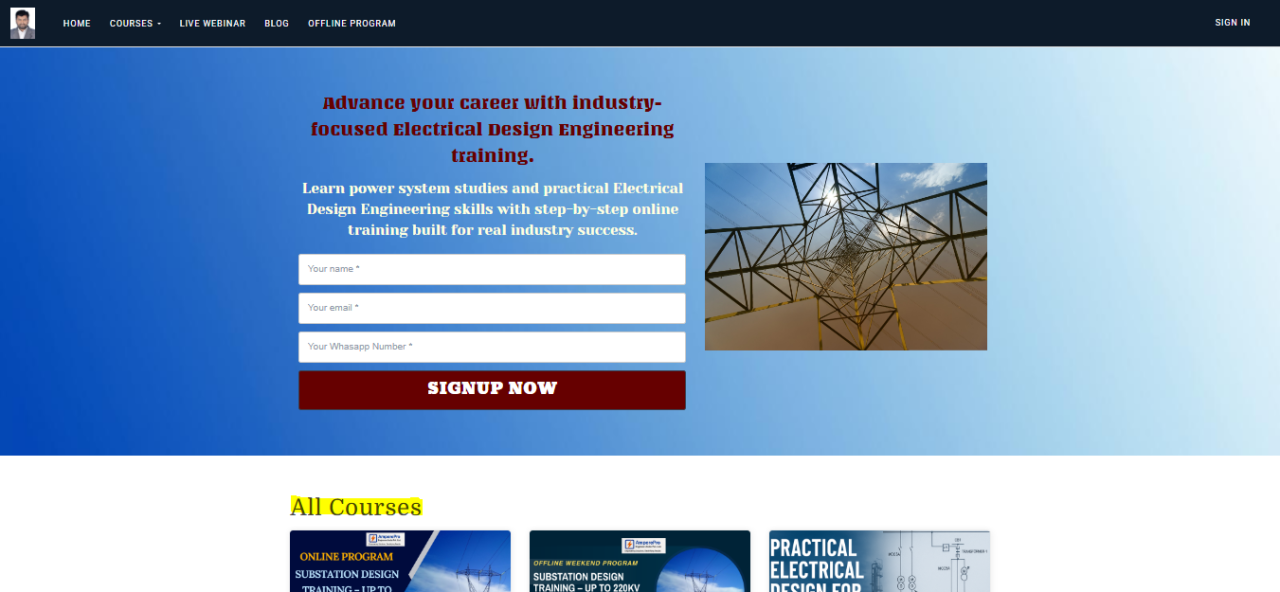
After clicking the Training Portal, you will be redirected to the Learn AmperePro page.
On this page, you can view:
Available courses
Live webinars
Sign Up / Login option
From here, you have two ways to proceed:
Option 1: Select Course First
You can directly browse the courses and click on any course to enroll.
Option 2: Sign Up First
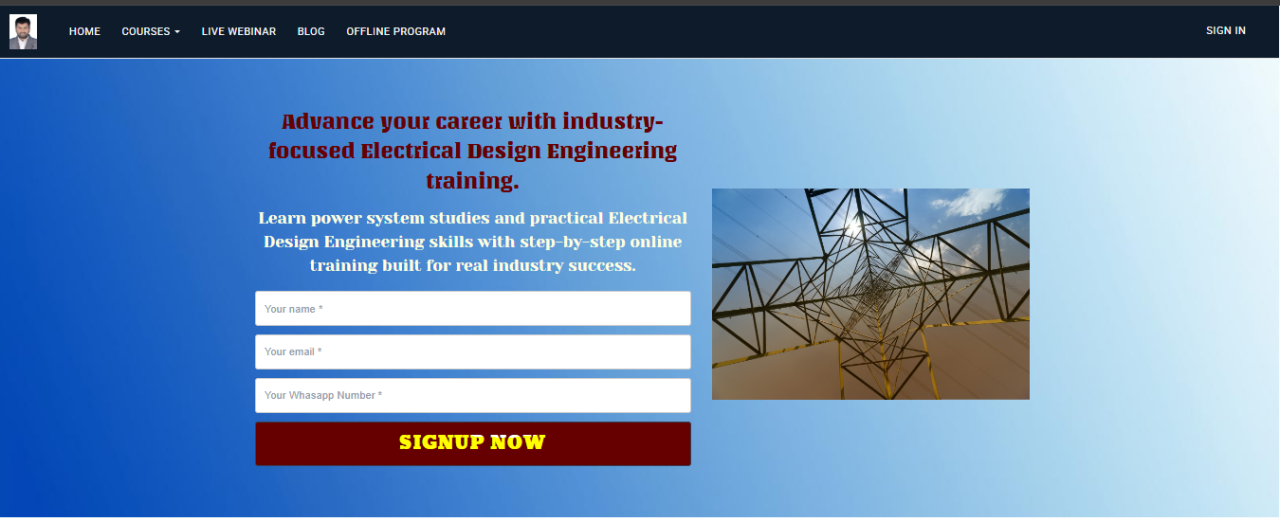
Alternatively, you can click on Sign Up first, create your account, and then browse and enroll in courses.
To signup enter Your Name, Email ID, Mobile Number and Click Signup Now Button
Step 3: View Course and Complete Enrollment
Browse through the list of available courses and select the course that best suits your requirement.
After selecting the desired course, you will be able to view detailed information, including the course content and structure.
To proceed further, click on Enroll Now to complete the enrollment process.
69c5008d0805c_lg.png)
Step 4: Access Your Enrolled Course
After completing the enrollment process, you can access your course at any time by following the steps below:
Visit the official website:
www.ampereproengineers.comClick on the Training Portal.
Sign in using your registered credentials.
On the homepage, navigate to the My Courses section.
Here, you will find all your enrolled courses. Click on your course to start learning.

Important Note
Ensure that you use the same email ID for both:
Sign-up process
Course enrollment
This is necessary to successfully access your enrolled courses without any issues.